Cross-Platform Macro Automation · Windows / Android
MacroAI
A visual macro automation platform powered by image recognition, OCR, and Lua scripting. Now on both Windows and Android — make repetitive tasks a single click away.
A visual macro automation platform powered by image recognition, OCR, and Lua scripting. Now on both Windows and Android — make repetitive tasks a single click away.
Visual recognition meets scripting — built for desktop automation
Drag-and-drop workflow builder with 20+ node types, LOOP/CONDITION container nodes. Build automation flows without writing code.
OpenCV-based template matching with custom regions, adjustable thresholds, and multi-template matching for precise element targeting.
Built-in OCR engine for text recognition in screen regions. Supports text comparison and conditional triggering.
Grid-based screen change detection, bar value tracking (HP bars, progress bars), with automatic periodic change filtering.
Node operations auto-generate Lua code — approachable for non-programmers, extensible for developers.
Win32 PostMessage background input — no focus steal. Supports background screenshot & recognition for stealthy automation.
Independent design and runtime regions with automatic coordinate scaling. The same script runs stably across devices with different resolutions and scaling ratios.
All core features are permanently free — no feature gating, no ad popups, no bundled adware.
The same Lua script runs on both Windows and Android. Share image templates across platforms — write once, run anywhere.
One script, run everywhere — on both Windows and Android
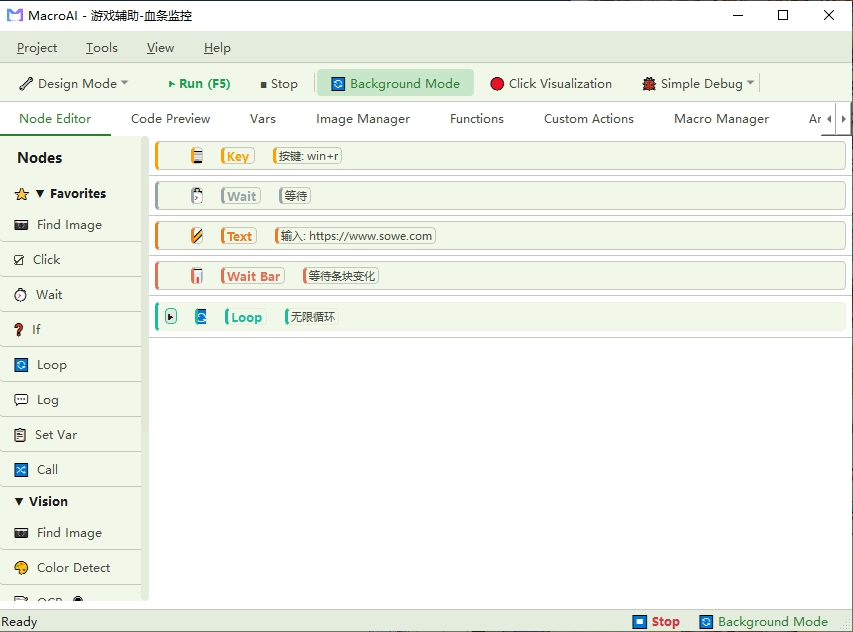
Drag and drop to build automation flows. LOOP/CONDITION container nodes show hierarchy at a glance.
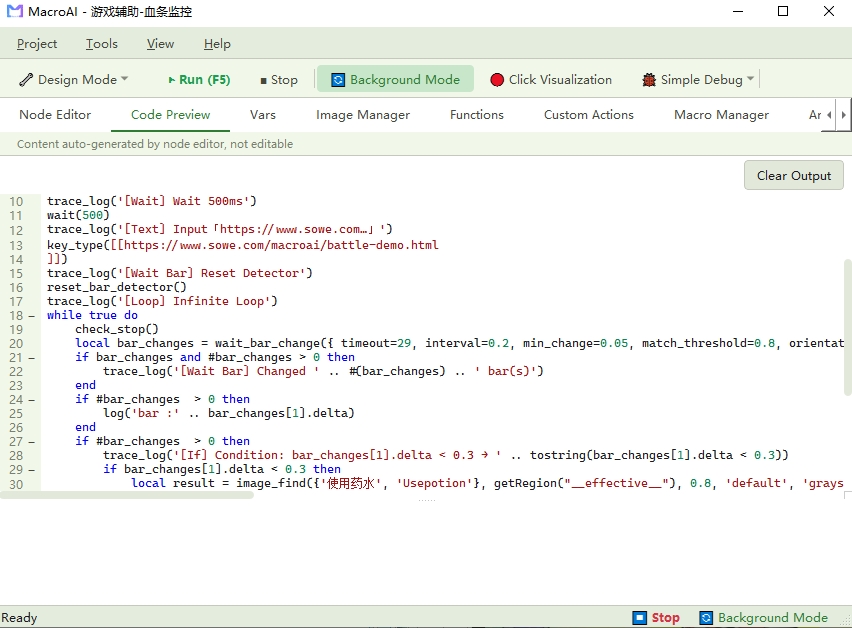
Node operations auto-generate Lua code with syntax highlighting and code folding.
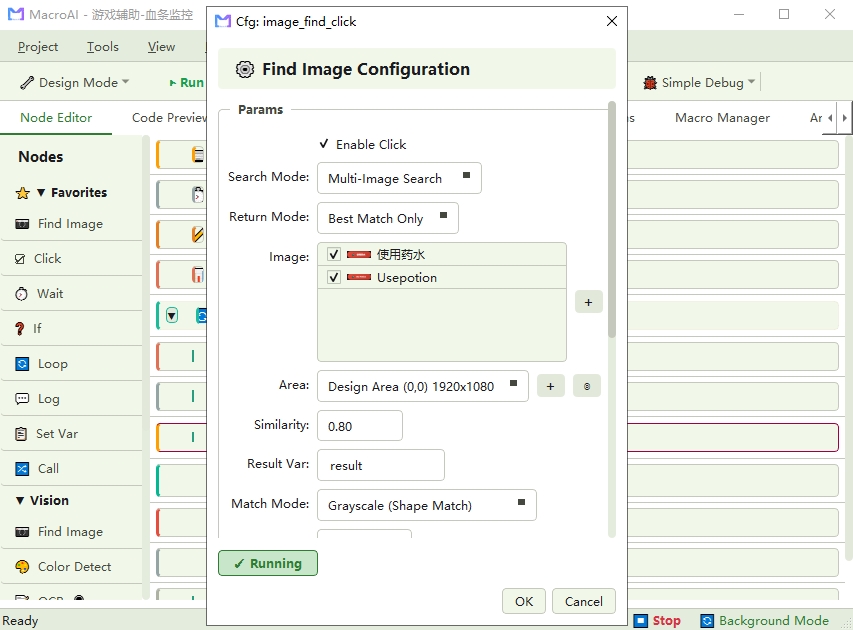
Visual configuration for image matching, OCR, color detection and more, applied in real time.
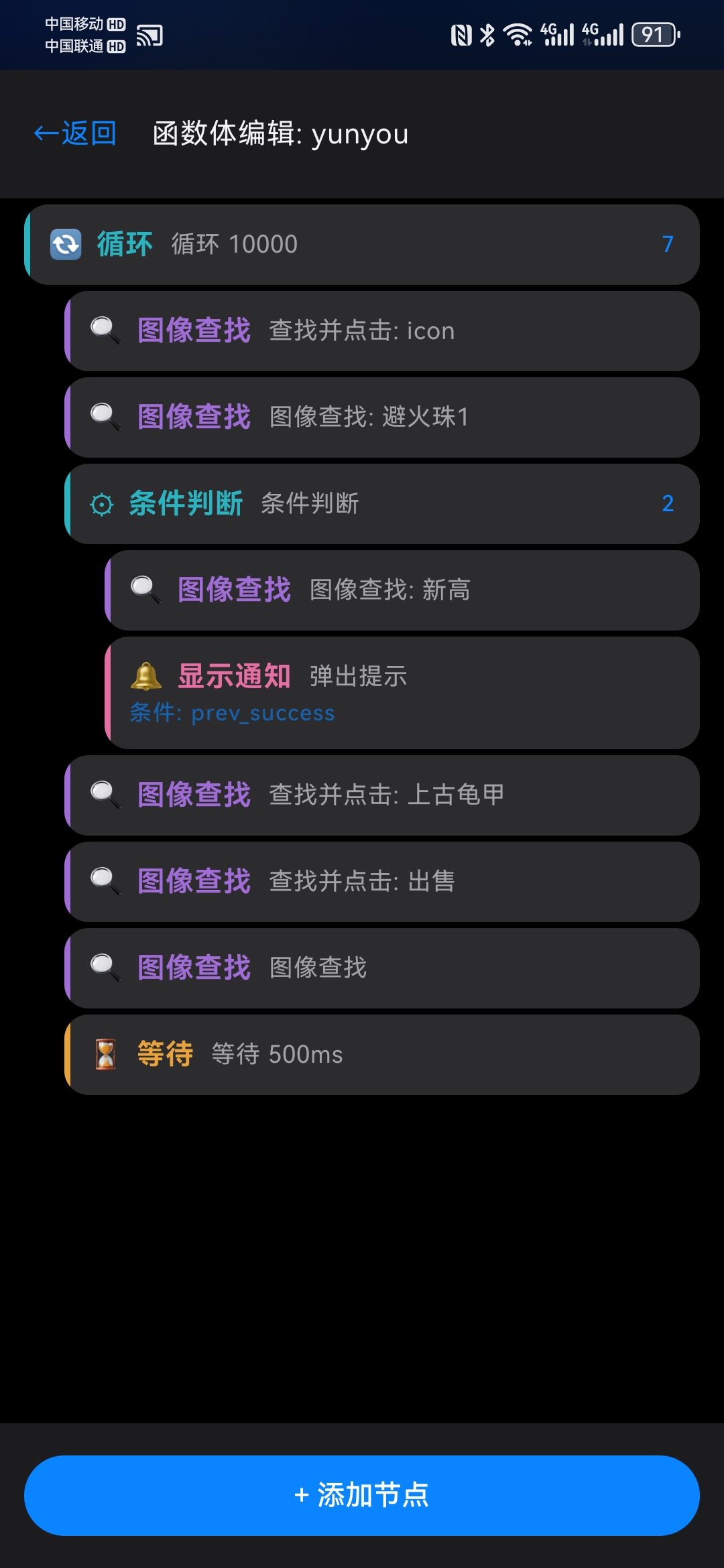
Powered by Accessibility Service. Edit scripts from a floating bubble, no Root required.
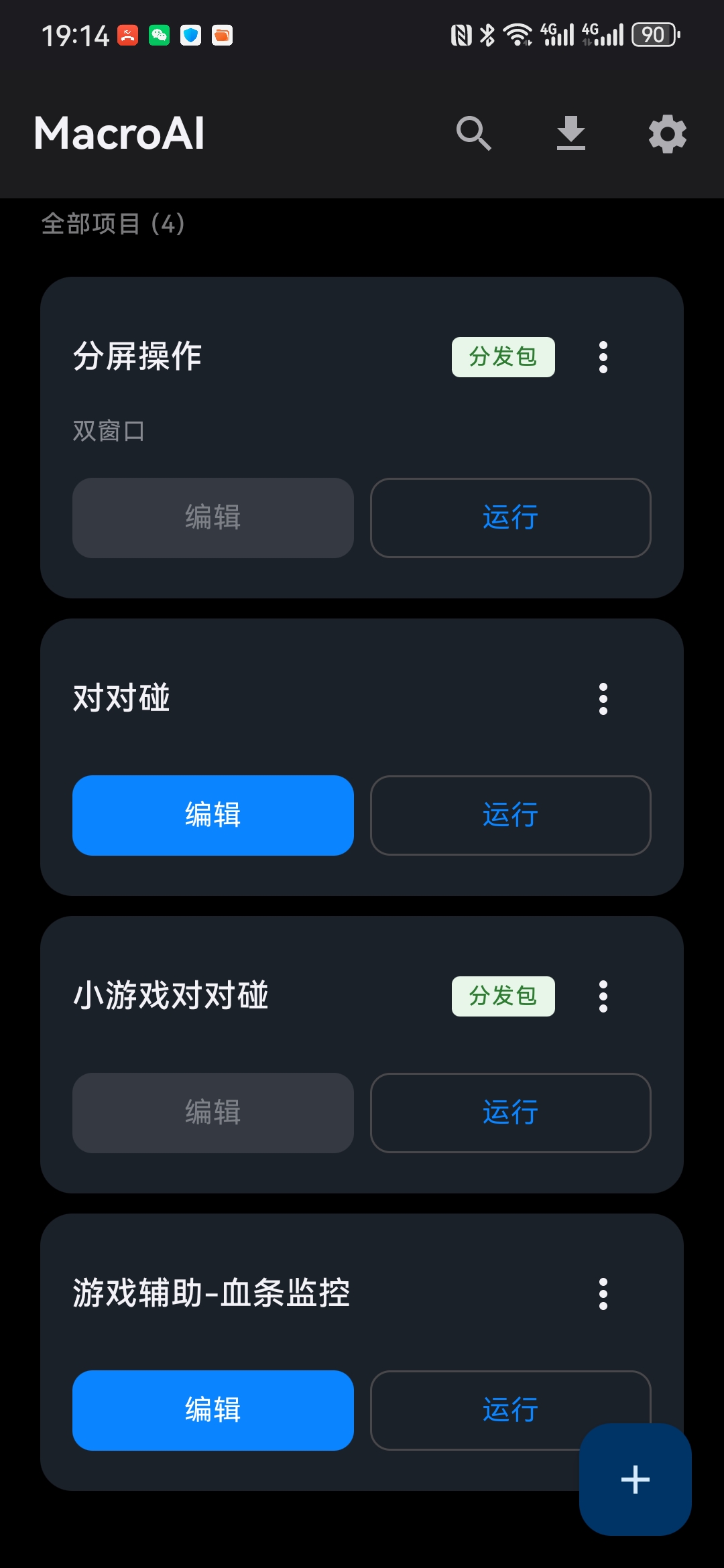
Shares Lua scripts and image templates with the Windows edition. Run with one tap.
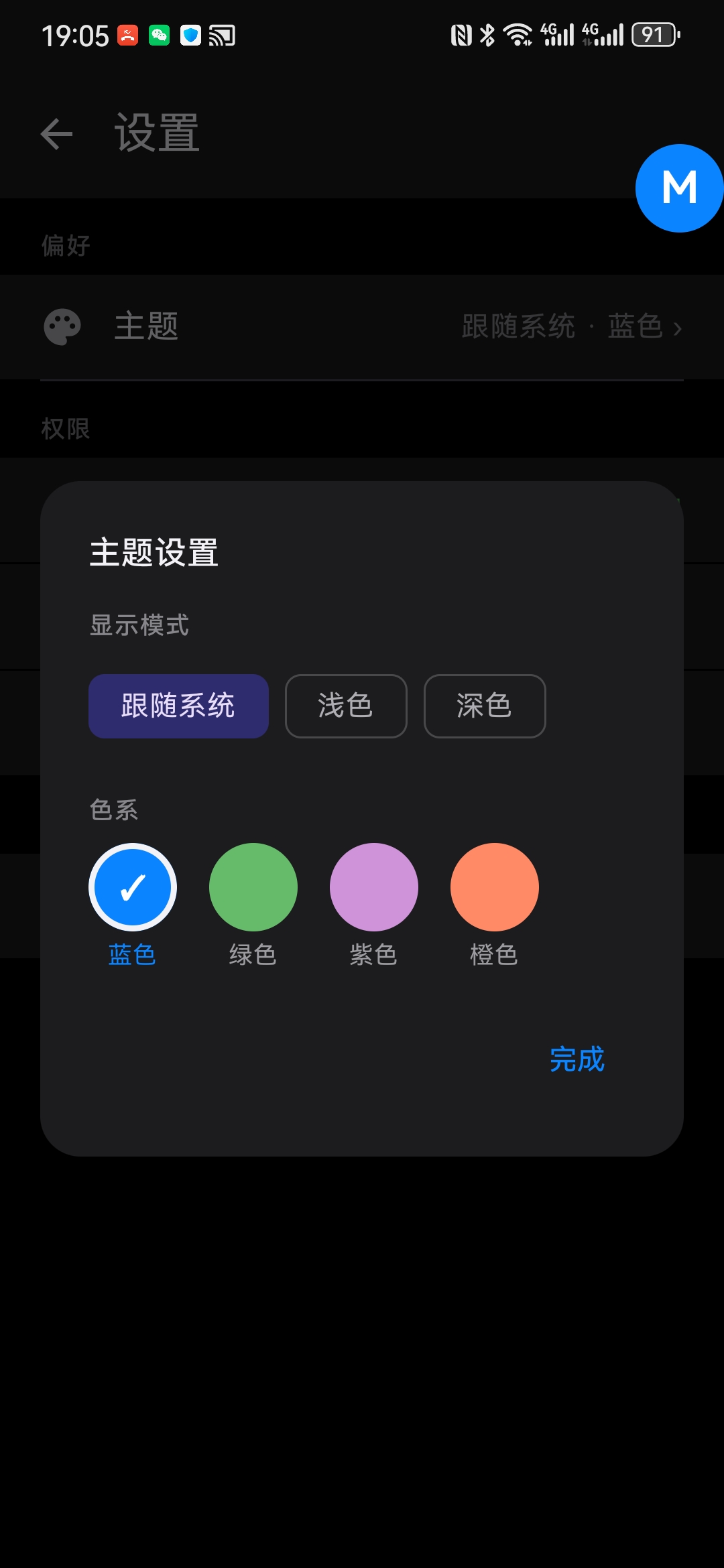
Enable Accessibility Service and screen capture on demand. All data stays on device.
From office to IT ops — MacroAI automates the tedious
Automate repetitive form filling, data entry, and report generation. Free your team for creative work.
GUI regression testing automation with image comparison verification. Boost testing efficiency.
Image recognition and change detection based automation with precise screen region targeting for gaming scenarios.
Cross-application process automation. Extract data from emails and write to Excel. Break down data silos.
Scheduled system tasks, batch file processing, and remote operation automation orchestration.
Inno Setup installer with complete components. Recommended for new users.
Go to DownloadExtract and run, no installation required. Ideal for temporary or portable use.
Go to Download
Install from Microsoft Store with auto-updates — safe and convenient

Install from Google Play with automatic store updates; requires access to Google Play
Powered by Accessibility Service, no Root required. Shares Lua scripts and image templates with the Windows edition
v1.0.8 uses a new package name and cannot be installed over the old version. If you have the old version installed, export your project (.macroai file) from the old version first, uninstall the old version, then install the new version and re-import your project.
From installation to your first automation flow — up and running in 10 minutes.
Get the installer from the download page and follow the setup guide.
The main window opens to the Node Editor tab by default. Drag nodes from the left panel to the canvas.
Connect nodes in sequence and configure each node's parameters.
Click run to execute your automation. Use debug mode to inspect the execution process.
Complete guide covering importing, configuring, and running automation scripts.
Complete guide for creating scripts, defining user config, and exporting distribution packages.
Lua scripting API reference documentation covering all available functions and system variables.
Download MacroAI for free and experience the power of visual macro automation
Download Now